
Image Wizard an advanced image editing app
Description
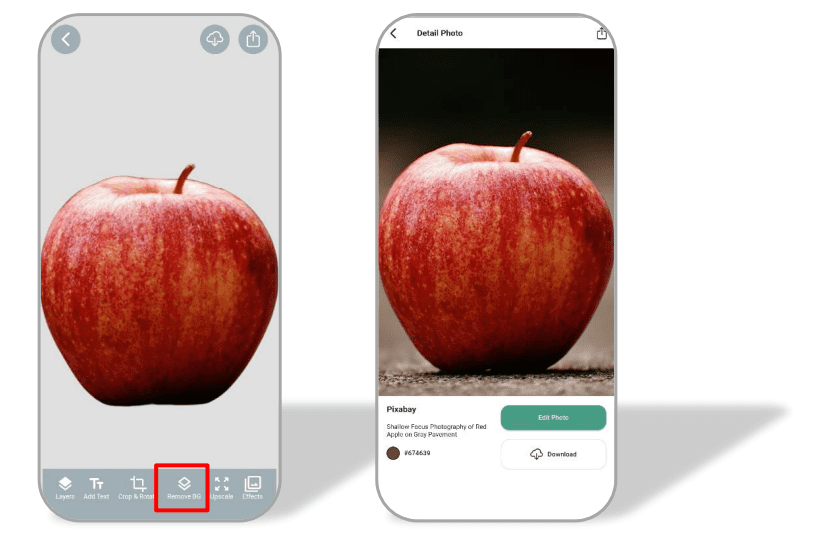
Introducing Image Wizard – the AI-powered image editing app. Effortlessly remove backgrounds and upscale images with a tap. Enjoy a seamless user experience, creative control, and instant sharing.
Objectives
To empower users with a user-friendly and innovative image editing solution, Image Wizard aims to leverage cutting-edge artificial intelligence for seamless background removal and image upscaling. The primary objective is to provide a simple, intuitive, and creative platform that enables users to enhance their photos effortlessly, fostering a new standard in the world of mobile image editing.
Socio-economic benefit
The Image Wizard image editing app can contribute to various socio-economic benefits: Entrepreneurship and Job Creation: As the app gains popularity, it may create opportunities for entrepreneurs to offer image editing services using Image Wizard. Job creation in sectors related to digital marketing, social media management, and content creation, where high-quality visuals are essential. Enhanced Digital Presence for Businesses: Small businesses can utilize the app to create professional-looking images for their online presence, potentially boosting customer engagement and sales. Skill Development and Accessibility: The app provides an accessible platform for individuals to enhance their image editing skills, fostering digital literacy and creativity. Global Reach for Content Creators: Content creators, irrespective of geographical location, can use Image Wizard to produce high-quality visuals, expanding their reach and audience globally. Promotion of Creative Industries: The app supports artists, photographers, and graphic designers by providing them with tools to enhance their work, potentially boosting the creative industries. Increased Productivity and Efficiency: Businesses and individuals can save time and resources by efficiently editing images using AI, promoting productivity and streamlining workflows.
Methodologies
Agile-Iterative Methodology for Image Wizard Project: Initiation: Define the project scope, goals, and key features of Image Wizard. Identify stakeholders and establish communication channels. Planning: Create a prioritized backlog of features and functionalities. Divide the project into iterations or sprints, each focusing on delivering specific, valuable features. Plan regular review and feedback sessions. Development: Implement features in short iterations, with a focus on functionality and user experience. Encourage collaboration and communication within the development team. Testing: Conduct continuous testing throughout the development process to identify and fix issues promptly. Perform user acceptance testing (UAT) at the end of each iteration. Feedback and Iteration: Gather feedback from stakeholders, users, and team members regularly. Use feedback to iterate on features and improve the application incrementally. Integration of AI Models: Integrate AI components in parallel with the development, ensuring compatibility and seamless functionality. Continuous Deployment: Aim for continuous integration and deployment to quickly deliver new features and updates. Implement automated testing to maintain code quality. Monitoring and Optimization: Monitor app performance, user feedback, and AI model effectiveness. Optimize algorithms and features based on usage patterns and feedback. Documentation: Maintain comprehensive documentation for code, AI models, and user guides. Project Review and Closure: Conduct a project review to assess goals, achievements, and areas for improvement. Document lessons learned and ensure knowledge transfer within the team.
Outcome
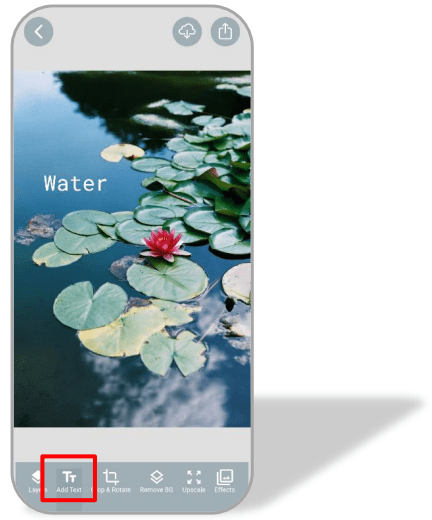
The outcomes of the Image Wizard project are aimed at delivering a powerful and user-friendly image editing application that leverages artificial intelligence. Here are the key project outcomes: AI-Enhanced Image Editing Application: Successful development and deployment of the Image Wizard application with advanced AI capabilities for background removal and image upscaling. Intuitive User Interface: A user-friendly and intuitive interface that allows users, regardless of their expertise, to navigate and utilize the app effortlessly. Efficient Background Removal: The AI-powered background removal feature should effectively eliminate backgrounds from images with precision and speed, enhancing the overall user experience. High-Quality Image Upscaling: Implementation of AI algorithms for image upscaling to improve the resolution of photos without compromising on clarity, providing users with high-quality, visually appealing results. Creative Editing Tools: Inclusion of creative tools within the app, allowing users to customize and enhance their images with features like color adjustments, filters, and other artistic elements. Instant Sharing and Export: Seamless integration of sharing options, enabling users to export and share their edited images instantly on various platforms, promoting engagement and social sharing. Stability and Performance: A stable and high-performance application that operates smoothly across different devices and platforms, ensuring a positive user experience. Documentation and Support: Comprehensive documentation for users and developers, providing clear instructions on how to use the app and integrate it with other platforms or services. Ongoing support mechanisms, including FAQs and customer support channels, to assist users with any issues or inquiries. Adaptability and Scalability: Design and architecture that allows for easy adaptability to future updates, feature additions, and scalability to accommodate a growing user base. Positive User Feedback: Positive feedback from users, indicating satisfaction with the app's features, performance, and ease of use. Market Recognition: Recognition in the market as a cutting-edge image editing application, potentially leading to increased downloads, user engagement, and positive reviews.
Gallery


More from Computer Science
Job Finder
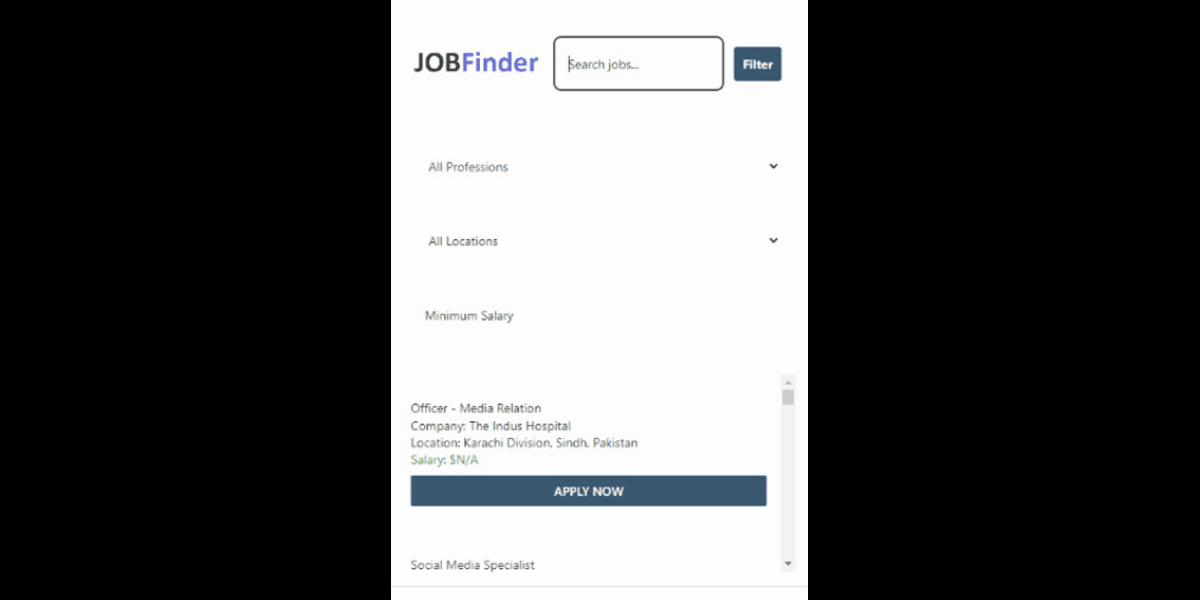
An app that lets users find jobs catered to their interests, qualifications and skills. The User interface, Jo…
Supervisor: Dr. Muhammad Sharif

ESTATE MATE MANAGEMENT SYSTEM
Estate Mate Management System is an application which helps the organization to shift their matters online. B…
Supervisor: Mam Hina Jamil

Himalaya Portal
The system is designed with three main panels:--> Student Panel (Flutter App):Allows students to log in using…
Supervisor: Sir, Waheed

Scalp Inspector Using Machine Learning
Scalp Inspector is a mobile application designed for users to self-diagnose scalp conditions. This innovative…
Supervisor: Dr. Wasif Nisar